🎯 Project Overview
LangDetect is a Flask-based web application that detects the language of any input text using machine learning. The app uses a trained Multinomial Naïve Bayes model to deliver instant predictions with 98% accuracy across 17 supported languages, and is deployed on Railway for seamless access.
Users paste or type any text into the input field, hit Predict, and the model identifies the language in real time — along with a confidence score. If the input falls outside the 17 supported languages, the app returns a custom "Unable to detect language" message rather than a wrong guess.
✨ Features
- Real-time language detection — Multinomial Naïve Bayes model identifies the language instantly from any text input.
- 98% accuracy — trained and evaluated on a Kaggle dataset covering 17 languages.
- Confidence score — displays how certain the model is about its prediction alongside the result.
- Unsupported language handling — shows a custom "Unable to detect language" message for inputs outside the 17 supported languages.
- Flag-based language display — all 17 supported languages are shown with their country flags for a visual, user-friendly experience.
- Graceful error handling — descriptive error pages guide users when invalid or empty input is submitted.
- Cloud deployment — hosted on Railway for always-on access.
🌍 Supported Languages
🇺🇸 English 🇫🇷 French 🇪🇸 Spanish
Western European languages with the broadest global reach.
🇵🇹 Portuguese 🇮🇹 Italian 🇩🇪 German
Romance and Germanic language family representatives.
🇷🇺 Russian 🇸🇪 Swedish 🇳🇱 Dutch
Northern and Eastern European languages.
🇸🇦 Arabic 🇹🇷 Turkish 🇬🇷 Greek
Middle Eastern and Mediterranean language coverage.
🇮🇳 Hindi 🇮🇳 Tamil 🇮🇳 Malayalam 🇮🇳 Kannada
Major Indian subcontinent languages across multiple language families.
🇩🇰 Danish
Scandinavian language rounding out the 17-language coverage.
🖼️ App Preview
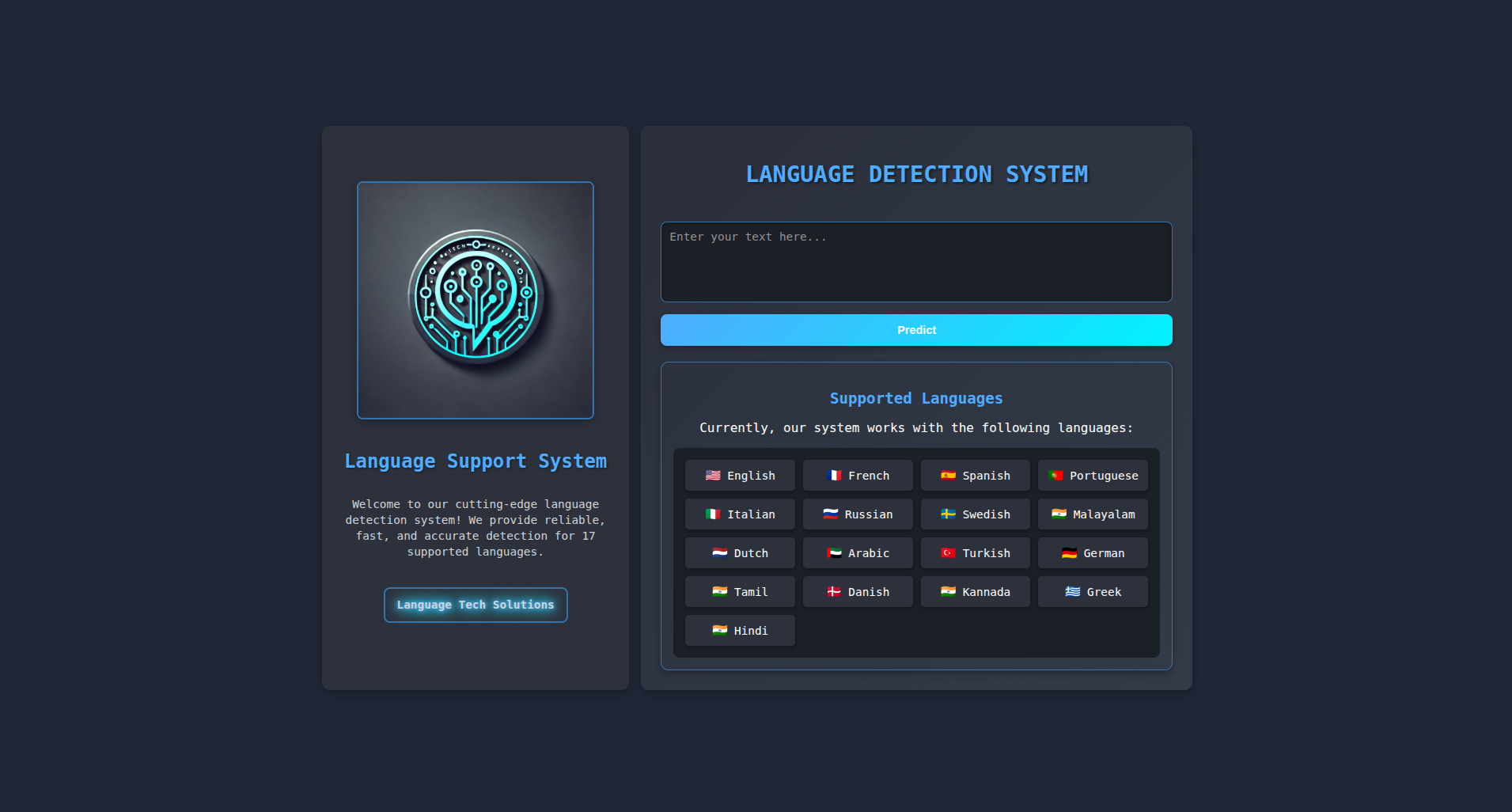
Home Page — Detection Interface
Text input area with a Predict button and a full grid of 17 supported languages shown with flag icons.
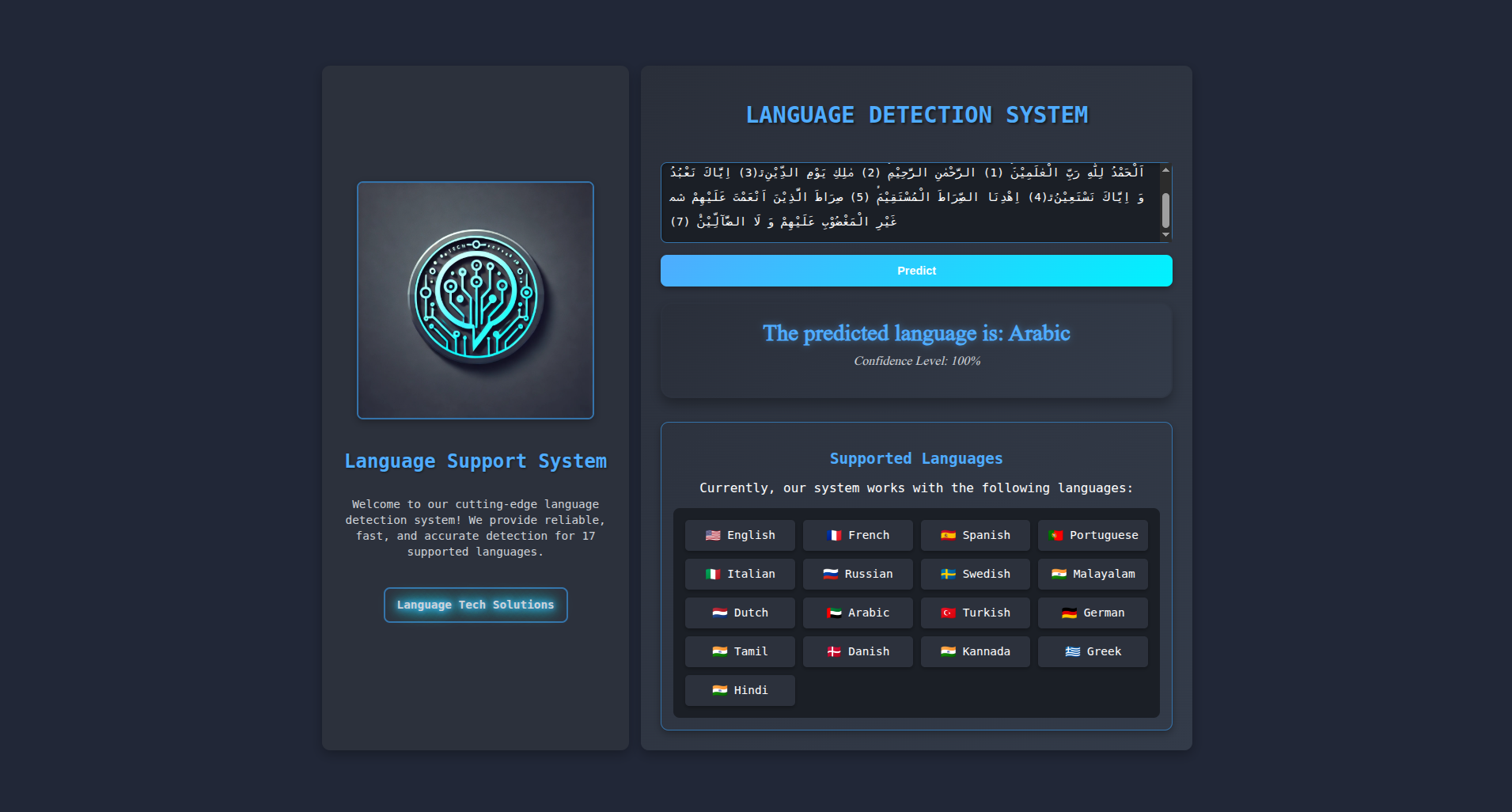
Prediction Page — Result Display
Shows the detected language and confidence score. Displays a custom message for unsupported languages.
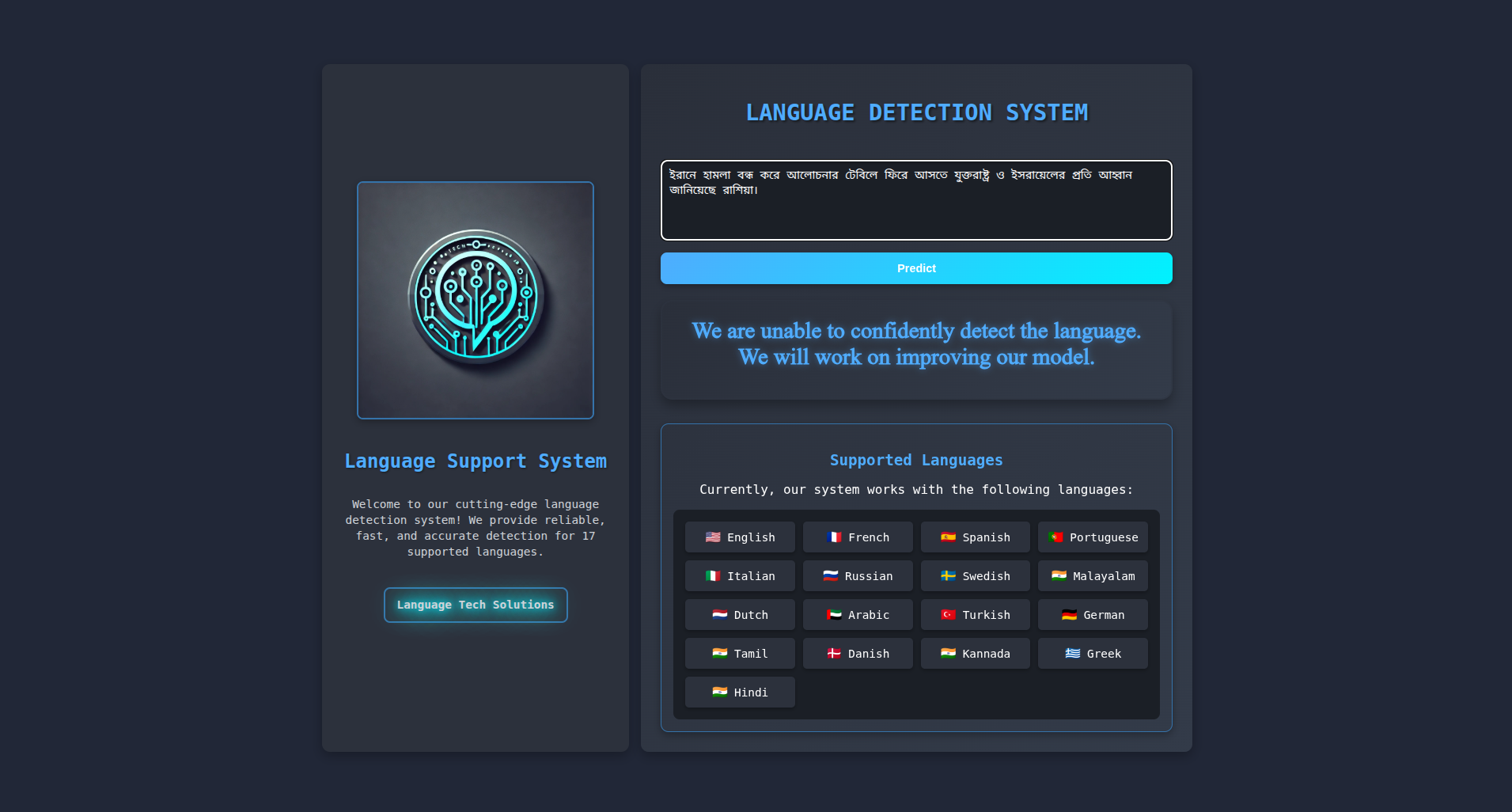
Non listed Page — Result Display
Shows the non-listed language result and custom message showing.
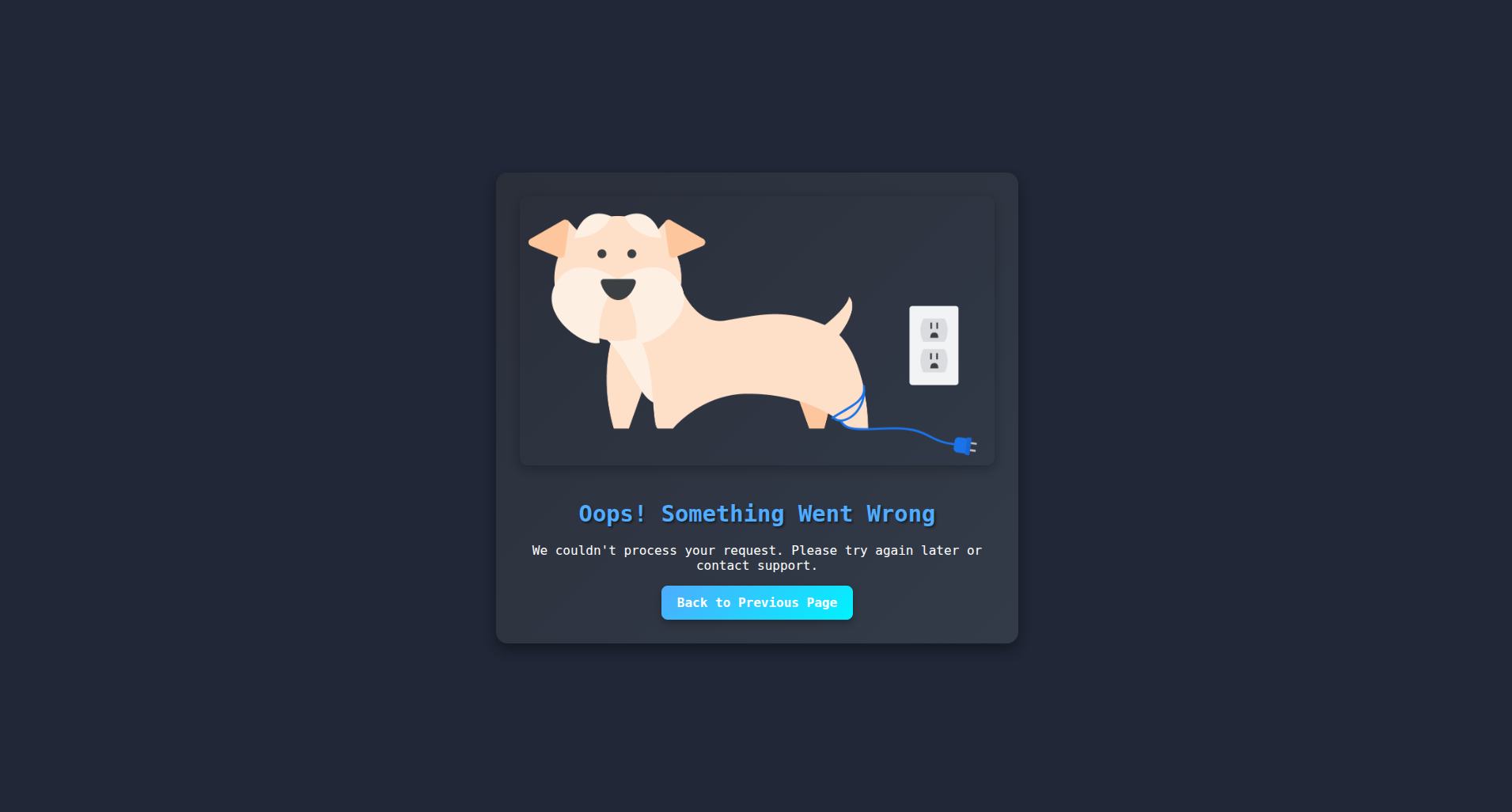
Error Page — Validation Feedback
Descriptive error messages for empty or invalid inputs, with a visual illustration for better UX.
🛠️ Technologies Used
- Python — core programming language for the app and ML pipeline.
- Flask — lightweight web framework handling routing, templates, and request processing.
- Scikit-learn — Multinomial Naïve Bayes model for language detection, trained on a Kaggle dataset.
- Docker & Docker Compose — containerization for consistent local and production environments.
- HTML / CSS / JavaScript — frontend templates and styling for all app pages.
- Railway — cloud platform for automated deployment and hosting.
✅ Input Validation Rules
- Text Input — cannot be empty or whitespace only.
- Text Length — must be at least 3 characters for reliable detection.
- Unsupported Language — if the detected language is outside the 17 supported ones, a custom "Unable to detect language" message is displayed.
- Confidence Level — the model's confidence percentage is reported alongside every prediction.
🔄 Example Workflow
Sample Input
- Text: "Bonjour, comment ça va?"
Possible Outputs
- Detected: "French 🇫🇷 — Confidence: 99.2%"
- Unsupported: "Unable to detect language. Please enter text in one of the 17 supported languages."
⚙️ Installation Guide
Local Setup
- Step 1 — Clone the repository:
git clone https://github.com/msjahid/langdetect-app.git - Step 2 — Create a virtual environment:
python -m venv venvthen activate it. - Step 3 — Install dependencies:
pip install -r requirements.txt - Step 4 — Run the app:
python app.py - Step 5 — Open in browser:
http://127.0.0.1:5000/
Docker Setup
- Step 1 — Build the image:
docker-compose build - Step 2 — Start the container:
docker-compose up - Step 3 — Open in browser:
http://127.0.0.1:4000
Deploy on Railway
- Step 1 — Sign up or log in at railway.app.
- Step 2 — Create a new project → Deploy from GitHub repo.
- Step 3 — Railway auto-detects the Procfile and runtime.txt.
- Step 4 — Wait for the build and deployment to complete.
- Step 5 — Access your app at the Railway-provided unique URL.